 "What Is Nano Banana 2? Features, Use Cases, and How It Works")
What Is Nano Banana 2? Features, Use Cases, and How It Works
Learn what Nano Banana 2 is, what it does well, and how to use prompts, multi-image references, editing, and 4K output in one workflow.
What People Mean by “Nano Banana 2”
Most people who search for Nano Banana 2 want one thing: a faster way to make useful images.
They are usually looking for one or more of these jobs:
- An AI image generator that follows prompts better
- An AI image editor that can fix or restyle photos
- A multi-image workflow for faces, products, or campaigns
- Cleaner text inside posters, menus, labels, and diagrams
- A path from first draft to 2K or 4K-ready output
On this site, Nano Banana 2 is built around those needs. It helps you move from idea to usable asset without bouncing between too many tools.
What Nano Banana 2 Does Well
1. Prompt-heavy image generation
Nano Banana 2 is strong when the prompt has several parts. You can describe the subject, style, lighting, camera angle, layout, and even text inside the image. It is a better fit than lightweight draft tools when you need the final result to stay close to the brief.
2. Image editing that feels direct
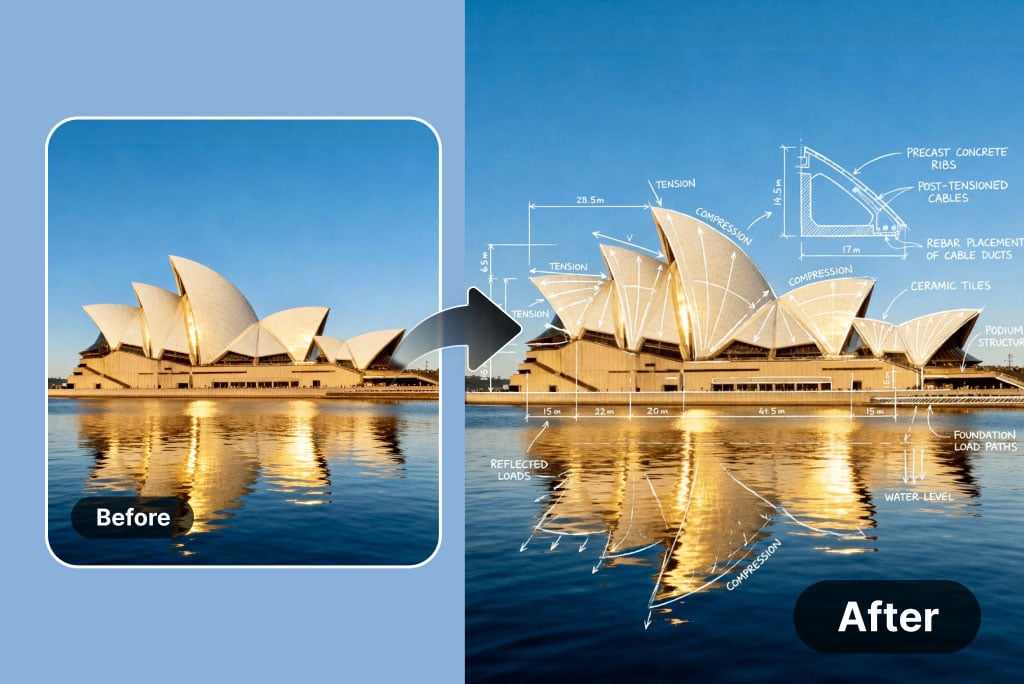
You can start from a real photo and change only what matters. That could be the background, the light, the styling, the product color, or the text on the image. If you need controlled edits, the Nano Banana 2 image editor is the simplest starting point.
3. Multi-image references and consistency
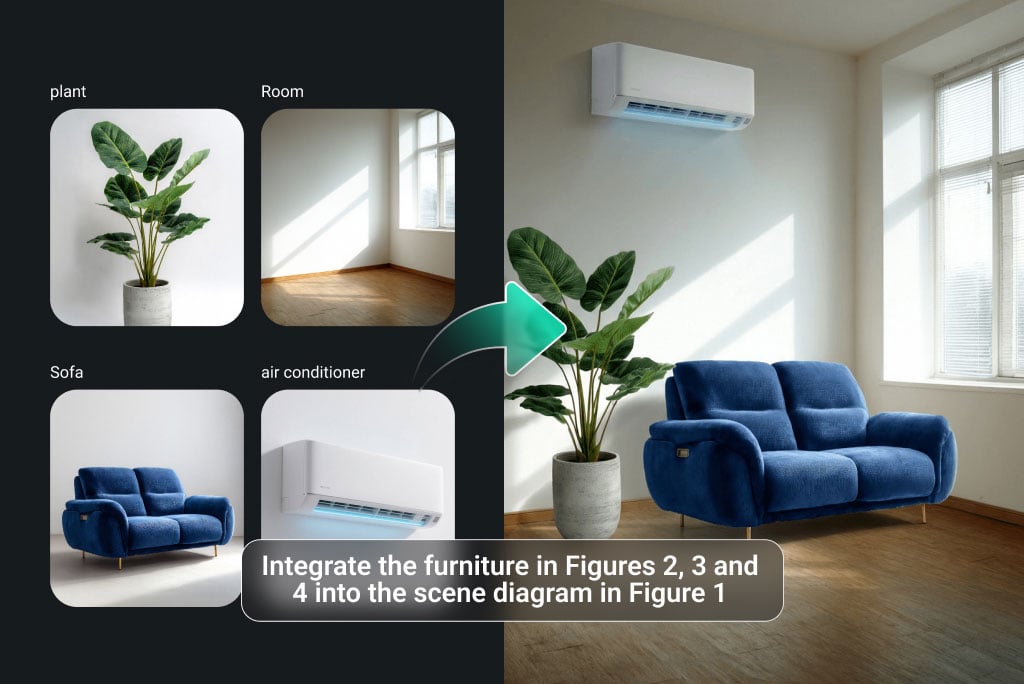
This matters when one image is not enough. You may want to keep the same person, the same product, or the same visual style across many outputs. Nano Banana 2 works well for that because it can use several reference images in one workflow.
4. Clearer text in images
Many users search for Nano Banana 2 because they need posters, diagrams, menus, labels, or presentation graphics. In those jobs, readable text matters. Nano Banana 2 is a practical option when you want fewer broken letters and cleaner spacing.
5. A simple 4-step path to delivery
You can generate, edit, refine, and then upscale inside one system. That matters for teams who need speed, but do not want a messy workflow.
Who Should Use Nano Banana 2
Nano Banana 2 is a good fit for:
- Creators who need fast prompt-to-image output
- Marketers who need product visuals, ads, and posters
- Designers who want a fast first pass before final polish
- Ecommerce teams that need repeatable product images
- Small teams that want one browser workflow for prompts, edits, and delivery
If you only need rough drafts, a lighter tool may be enough. If you need cleaner structure, stronger prompt following, and repeatable output, Nano Banana 2 makes more sense.
Common Use Cases
Product images
Start with a pack shot or reference photo. Change the background, material feel, lighting, or layout. Then export the winner at a higher resolution.
Posters and social ads
Write one prompt, branch into several versions, and compare. This works well when you need text, brand colors, and multiple sizes.
Character and face consistency
Upload reference photos and keep the same person or mascot across several images. This is useful for storyboards, campaign sets, and branded content.
Image-to-image restyling
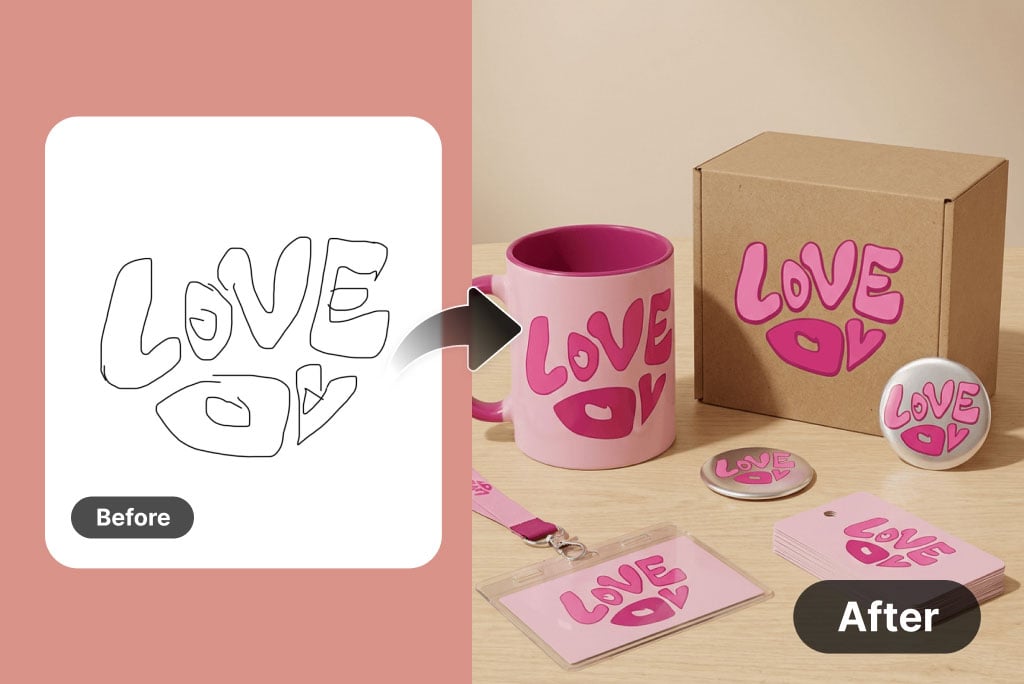
Turn a sketch, wireframe, or rough concept into a polished scene. If that is your main goal, read the full Nano Banana 2 image-to-image guide.
A Simple Nano Banana 2 Workflow
- Pick the job: text-to-image, image editor, image-to-image, or prompt testing.
- Write a clear prompt or upload one or more references.
- Keep what matters stable: subject, text, palette, layout, or product details.
- Export the best result, then upscale if you need sharper delivery.
If you are new, the Nano Banana 2 prompts guide is the fastest way to improve results.
Nano Banana 2 vs Basic Generators
Nano Banana 2 is usually the better choice when:
- The prompt is long or detailed
- The image must contain readable text
- You need more than one reference image
- You want the same product or face to stay consistent
- The result needs to look ready for delivery, not just ideation
If you are deciding between the two generations, read the full Nano Banana vs Nano Banana 2 comparison.
Good First Tasks to Try
If you want a fast first win, start with one of these:
- A product poster with a short headline
- A social ad with one hero product and two text lines
- A photo edit that changes the background and light
- A multi-image test with one face reference and one product image
These tasks are simple, but they show the main strengths of Nano Banana 2 quickly.
Related Pages on This Site
- Browse the Nano Banana 2 prompt library
- Try the Nano Banana 2 image generator
- Edit a photo in the Nano Banana 2 image editor
- Refine references in Nano Banana 2 image-to-image
- Finish the asset with the Nano Banana 2 image upscaler
FAQ
Is Nano Banana 2 for beginners?
Yes. It works best with clear prompts, but you do not need expert prompt skills to get a useful result.
Is Nano Banana 2 only for new images?
No. It also works well for editing, restyling, multi-image references, and higher-resolution delivery.
When should I use prompts and when should I use reference images?
Use prompts when the idea is new. Use references when identity, layout, product shape, or visual consistency must stay closer to the source.
When should I upscale?
Upscale after you like the content and layout. That is the best time to move the image toward 2K or 4K delivery.
Final Take
Nano Banana 2 is not just about generating a pretty image. Its real value is the full workflow: prompts, edits, multi-image control, clearer text, and final output in one place.
That is why so many searches around Nano Banana 2 are really about production, not novelty.
Author
)
More Posts
Nano Banana 2 Character Consistency Guide: Keep Faces, Products, and Style Stable Across Edits
A practical workflow for character consistency in AI image generation and editing, including repeated faces, product identity, multi-scene revisions, and why Nano Banana 2 is useful for controlled iteration.
 "Nano Banana 2 Image to Image Guide for Edits, References, and 4K")
Nano Banana 2 Image to Image Guide for Edits, References, and 4K
Learn how to use Nano Banana 2 for image-to-image edits, multi-image references, subject consistency, cleaner text, and 4K-ready delivery.
 "Nano Banana vs Nano Banana 2: Main Differences and Best Uses")
Nano Banana vs Nano Banana 2: Main Differences and Best Uses
A simple comparison of Nano Banana and Nano Banana 2 for prompt accuracy, text rendering, multi-image workflows, editing control, and 4K-ready output.
Newsletter
Join the community
Subscribe to our newsletter for the latest news and updates